


Revive: AI Photo Animator
4.56.79K Reviews
App Specs
- Version
- 4.12.0
- Updated On
- License
- Free
- Downloads
- 10,000,000+
- Developer
- REFACEAI LIMITED
- Categories
- Entertainment
- Platform
- Android, iOS
Screenshots
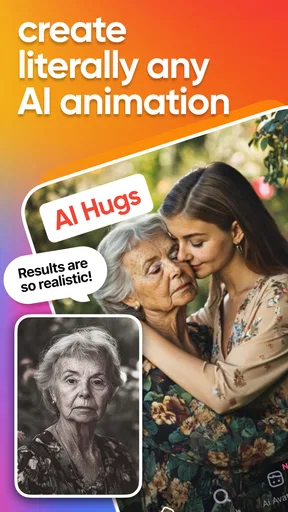
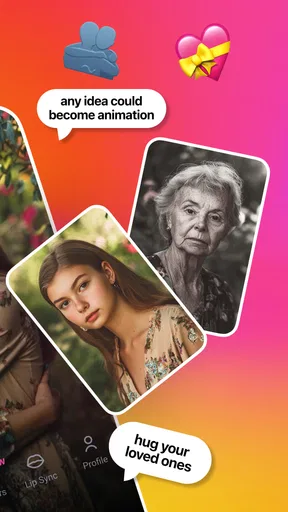
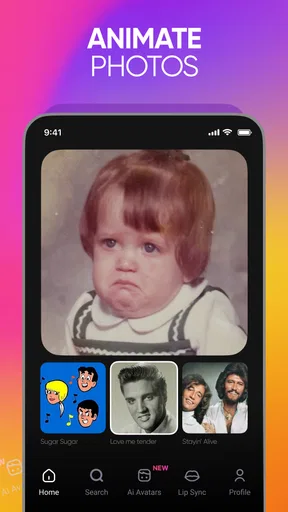
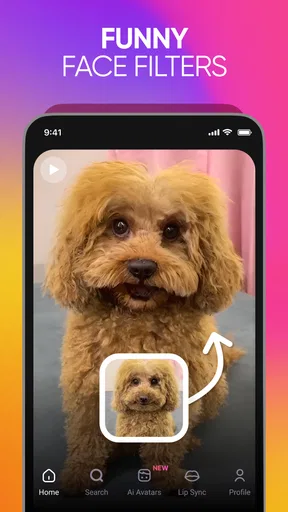
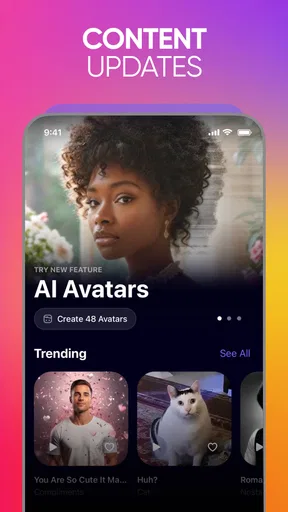
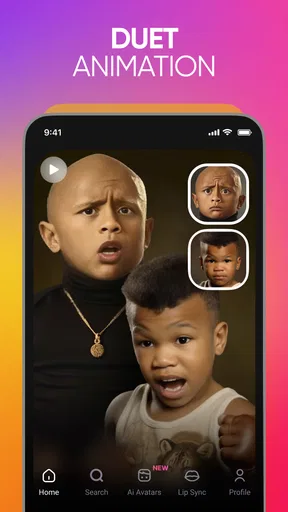
 Analysis by AppCompare
I first tried Revive because I wanted to see whether a still photograph could become something worth sharing, rather than just a quick novelty. It is an entertainment app from REFACEAI LIMITED, built around turning portraits into short, playful animations. My first impression was that it is best approached with curiosity and a light touch: the results can make a familiar face feel unexpectedly lively, but the appeal depends on choosing a photo that suits the effect.
The first-week appeal
In the first few sessions, the fun is immediate. I could picture using it to make a family group chat smile, give a birthday message a personal twist, or bring an old portrait into a conversation without asking everyone to watch a long video. It is also an easy creative option for someone who does not want to learn a timeline editor or manually animate facial movements. The basic idea is simple enough to understand at a glance, so there is little setup between opening the app and trying a first result.
The strongest starting point is a clear, front-facing image with one obvious subject. That is a practical choice, not a guarantee: a photo with several faces, a turned head, or a busy foreground can make it harder to judge whether the movement looks convincing. I would test a copy or a low-stakes picture first, then move on to a meaningful portrait if I like the result. This small bit of selection makes more difference than repeatedly changing effects on a photo that was never a good fit.
Useful beyond the first joke
Revive’s appeal is not limited to old family pictures. I can see it working for a creator who needs a quick visual accent for a casual post, or for someone making a digital greeting that feels more personal than a static image. The store summary points to AI kiss videos, face dancing, lip-syncing, and animating images into video; those ideas suit short, expressive moments rather than serious photo restoration. I would use it when the goal is amusement or surprise, not when I need a faithful record of how a person actually moved.
A realistic everyday use might be choosing one cheerful portrait before a relative’s birthday, making a playful animation, and sending it privately with a short message. That keeps the result attached to a person and an occasion, instead of producing a folder of clips that never get watched again. For a work presentation, a memorial post, or anything where tone and accuracy matter, I would pause before applying a comic or exaggerated motion. A convincing effect can still feel inappropriate if the context calls for restraint.
Month-to-month value
The longer-term question is whether I would keep returning after the initial surprise. My honest answer is: occasionally, if I already enjoy making and sharing small visual jokes. It is not the sort of tool I would expect to use every day. A birthday, a family catch-up, a themed post, or a group chat challenge gives it a natural reason to come back; without those moments, the novelty can fade quickly.
That makes it different from a general photo editor. An editor earns repeat use through routine jobs such as cropping, correcting light, or preparing images for different purposes. Revive is more specialized: it gives a still portrait a motion-led treatment, so its value depends on whether that specific transformation fits what I want to make. Compared with manually editing a clip in a video app, it asks less creative effort for a quick animated result, but offers less control over the final motion and presentation. If I want exact timing, layered captions, or a carefully shaped story, I would choose a conventional video editor instead.
Worth Reading Before You Choose

EA SPORTS FC Mobile 26 Is a Bigger Football Game, but It Takes Time

Flipboard Shows What News Apps Must Do Beyond the Feed

Switching to Android Auto Means Rethinking Your Driving Routine

Google Calendar Makes a Crowded Week Easier to Manage

Ludo King Makes the Most of the Minutes Between Plans

Baby Panda World Brings Quick Play to Modern Phones, but Its Game Library Feels Busy
The app is free to install and is rated for everyone. It has a 4.5 average from around 130,000 ratings, and it has been installed over 10 million times. Those figures suggest a broad audience, but they do not tell me whether a particular animation will suit my taste or how often I will use it. I would treat them as context, not as a reason to expect every image to come out perfectly.
Making each attempt count
A few habits can make experimentation more useful. I would start with a well-lit photo where the face is unobstructed, keep the original image untouched, and compare the preview with the source before deciding to save or share. If the face looks strained or the movement clashes with the expression, I would try a different portrait rather than assuming that more intensity will fix it. When making something for another person, I would also consider whether they would enjoy seeing their likeness animated before sending it to a wider audience.
For a small project, it helps to decide the destination first. A clip meant for a private message can be silly and brief; one intended for a public post may need a more suitable image and a less startling effect. I would also keep a few source photos in a separate album so I can find suitable candidates without scrolling through an entire camera roll. That simple preparation avoids turning a two-minute idea into a long search, and it makes the app feel more like an occasional creative tool than a chore.
Maintenance, cost, and fatigue
There is little ongoing upkeep in the usual sense: the main effort is choosing images, previewing outcomes, and deciding which creations are worth keeping. The app’s current version is 4.12.0, and it runs on Android 8.0 or later. I would still keep the app updated through the normal store process, especially if I rely on it for a particular occasion, but I would not install it expecting a broader photo library or editing workflow to replace my usual tools.
Although the app is free, in-app purchases range from $0.99 to $74.99 per item. That is a wide enough span that I would check the exact offer and its terms before buying anything, rather than treating “free” as a promise that every effect or option costs nothing. If I only want to test an occasional animation, I would begin without paying and decide later whether I have a repeated use that justifies a purchase. If I want detailed pricing comparisons, I would check the current in-app options directly before committing, since the purchase that matters is the one presented for the feature I actually want.
The main source of fatigue is repetition. A face animation can be funny the first time, but a stream of similar clips may start to feel interchangeable. Another possible friction is the gap between the idea in my head and what the chosen portrait can support: a small expression or unusual angle may not translate as neatly as a clear, centered face. I would not use an animated result as a substitute for restoring a damaged photo, correcting an image, or creating a precise performance. Those jobs call for different tools and more direct control.
Bringing Photos to Life
So, I downloaded Revive: AI Photo Animator out of sheer curiosity and a little bit of skepticism. After all, how often do apps actually live up to their grand claims? But, honestly, I was pleasantly surprised. The app uses AI to animate static images, and the results can be downright mesmerizing. Imagine your grandma winking or your childhood pet giving a playful bark—it's all possible here.
Getting Started
First things first, the app is pretty easy to navigate. After installation, you're greeted with a simple and friendly interface. Uploading photos is a breeze. Just select an image from your gallery, and you're good to go. The app supports multiple formats, so you don’t have to worry about converting your precious photos.
Once your photo is uploaded, the magic begins. You have a variety of animations to choose from. Just tap on the one you fancy, and watch as your still image begins to move and groove. The app provides a real-time preview, so you can see the results instantly before saving them.
Features That Stand Out
One of the coolest things about the app is its AI-driven technology. The animations are smooth and natural, which is crucial because no one wants a janky animation ruining a cherished memory. The app also offers several customization options. You can adjust the speed and intensity of the animation, making it as subtle or as lively as you want.
Another feature worth mentioning is the background music options. You can add a fitting soundtrack to your animated photo, which truly enhances the overall experience. Whether it’s a soft piano tune or a lively dance beat, the choice is yours.
Sharing and Saving
Once you’re satisfied with your creation, sharing it is a piece of cake. The app supports direct sharing to social media platforms like Instagram, Facebook, and WhatsApp. You can also save the animated photos to your device. The app provides high-quality exports, so your animations look crisp and clear.
Is It Worth It?
Now, let’s talk about the elephant in the room—cost. While the app offers a free version, certain features are locked behind a subscription. If you’re someone who loves dabbling with creative tools, the premium features might be worth the splurge. However, the free version is still quite robust and provides a good taste of what the app can do.
Overall, I found myself quite enjoying the experience. It’s not just about animating photos; it’s about bringing a piece of the past into the present, and maybe even sharing a laugh or two with friends and family.
Final Thoughts
In a world where photos are ubiquitous and often forgotten, Revive: AI Photo Animator offers a breath of fresh air. It's a fun and engaging way to rekindle memories and see them in a whole new light. So, if you’re intrigued by the idea of seeing your old photos move, give it a whirl. After all, isn’t it fascinating to see memories come alive?
Pros
- Easy-to-use interface.
- High-quality animation output.
- Variety of animation options.
- Quick processing time.
- Share directly to social media.
Cons
- Limited free features.
- Occasional app crashes.
- Requires constant internet.
- Heavy on battery usage.
- Subscription can be pricey.
FAQs for Revive: AI Photo Animator
What is Revive: AI Photo Animator?
Revive: AI Photo Animator is an app that uses artificial intelligence to animate static photos. It allows users to bring their images to life by adding realistic movements and expressions. This app is perfect for creating engaging and dynamic visuals for social media or personal projects.
How does Revive ensure privacy and data security?
Revive: AI Photo Animator takes privacy seriously by implementing end-to-end encryption for all data processed within the app. Users' photos and animations are stored locally unless explicitly shared. The app also adheres to GDPR and CCPA standards, ensuring that personal data is handled with utmost care.
Is Revive: AI Photo Animator user-friendly for beginners?
Yes, Revive is designed with a user-friendly interface that makes it easy for beginners to navigate. The app includes step-by-step guides and tutorials to help users understand how to animate photos effectively. With its intuitive design, users can start animating within minutes of installation.
Are there any in-app purchases or subscription fees?
Revive: AI Photo Animator offers a free version with basic features. However, for more advanced functionalities and additional animation options, users can opt for in-app purchases or subscribe to a premium plan. The subscription provides access to exclusive content and regular updates.
What devices are compatible with Revive: AI Photo Animator?
Revive: AI Photo Animator is available for both Android and iOS platforms. The app is compatible with most modern smartphones and tablets running on the latest operating systems. However, it's recommended to check the app store for specific device requirements to ensure optimal performance.


